
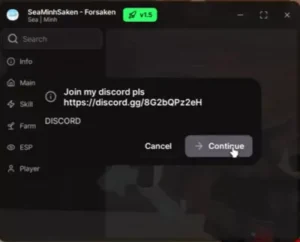
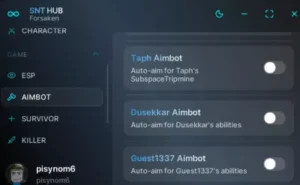
Script Info

local CoreGui = game:GetService("CoreGui")
local RunService = game:GetService("RunService")
local Players = game:GetService("Players")

local uiParent = pcall(function() return CoreGui.Name end) and CoreGui or Players.LocalPlayer:WaitForChild("PlayerGui")

if uiParent:FindFirstChild("GlitchSystemsUI") then
    uiParent.GlitchSystemsUI:Destroy()
end

local screenGui = Instance.new("ScreenGui")
screenGui.Name = "GlitchSystemsUI"
screenGui.ResetOnSpawn = false
screenGui.Parent = uiParent

local mainFrame = Instance.new("Frame")
mainFrame.Name = "Forsaken"
mainFrame.Size = UDim2.new(0, 400, 0, 250)
mainFrame.Position = UDim2.new(0.5, -200, 0.5, -125)
mainFrame.BackgroundColor3 = Color3.fromRGB(15, 15, 15)
mainFrame.BackgroundTransparency = 0.2
mainFrame.BorderSizePixel = 0
mainFrame.Active = true
mainFrame.Draggable = true
mainFrame.Parent = screenGui

local uiCorner = Instance.new("UICorner")
uiCorner.CornerRadius = UDim.new(0, 8)
uiCorner.Parent = mainFrame


local uiStroke = Instance.new("UIStroke")
uiStroke.Thickness = 2
uiStroke.Parent = mainFrame

local titleLabel = Instance.new("TextLabel")
titleLabel.Size = UDim2.new(1, 0, 0, 50)
titleLabel.BackgroundTransparency = 1
titleLabel.Text = "Made by Glitch & NoHyped"
titleLabel.Font = Enum.Font.GothamBold
titleLabel.TextSize = 22
titleLabel.Parent = mainFrame


local autoBlockBtn = Instance.new("TextButton")
autoBlockBtn.Size = UDim2.new(0, 250, 0, 45)
autoBlockBtn.Position = UDim2.new(0.5, -125, 0.5, -10)
autoBlockBtn.BackgroundColor3 = Color3.fromRGB(20, 20, 20)
autoBlockBtn.BackgroundTransparency = 0.3
autoBlockBtn.TextColor3 = Color3.fromRGB(255, 255, 255)
autoBlockBtn.Font = Enum.Font.GothamSemibold
autoBlockBtn.TextSize = 16
autoBlockBtn.Text = "Auto Block V2"
autoBlockBtn.AutoButtonColor = true
autoBlockBtn.Parent = mainFrame

local btnCorner = Instance.new("UICorner")
btnCorner.CornerRadius = UDim.new(0, 6)
btnCorner.Parent = autoBlockBtn

local btnStroke = Instance.new("UIStroke")
btnStroke.Thickness = 1.5
btnStroke.Parent = autoBlockBtn

local hue = 0
RunService.RenderStepped:Connect(function(deltaTime)
    hue = hue + (deltaTime * 0.15) -- Adjust this decimal to change cycle speed
    if hue > 1 then
        hue = 0
    end

    local rainbowColor = Color3.fromHSV(hue, 1, 1)


    uiStroke.Color = rainbowColor
    btnStroke.Color = rainbowColor
    titleLabel.TextColor3 = rainbowColor
end)


autoBlockBtn.MouseButton1Click:Connect(function()
    loadstring(game:HttpGet("https://raw.githubusercontent.com/FortheLolzahaha-alt/ForsakenScriptV2/refs/heads/main/By%20Glitch%20%26%20NoHyped"))()
end)


