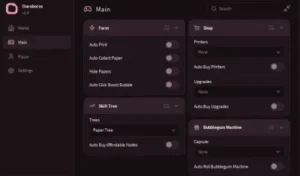
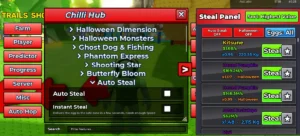
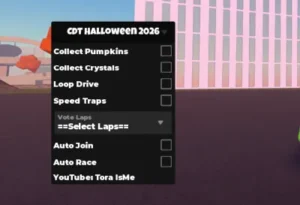
Script Info

local Players = game:GetService("Players")
local player = Players.LocalPlayer
local PlayerGui = player:WaitForChild("PlayerGui")

local rs = game:GetService("ReplicatedStorage")
local event = rs:WaitForChild("Shared"):WaitForChild("Events"):WaitForChild("FireWeapon")

-- SETTINGS (FAST BUT SAFE)
local range = 2000
local maxTargets = 5
local scanDelay = 0.25
local loopDelay = 0.02
local loopCount = 5 -- 🔥 4x power

local running = false
local cachedTargets = {}

-- GUI
local gui = Instance.new("ScreenGui", PlayerGui)
gui.Name = "OpenSourceHub"
gui.ResetOnSpawn = false

local frame = Instance.new("Frame", gui)
frame.Size = UDim2.new(0, 190, 0, 95)
frame.Position = UDim2.new(0.5, -95, 0.5, -47)
frame.BackgroundColor3 = Color3.fromRGB(20, 20, 20)
frame.Active = true
frame.Draggable = true
frame.BorderSizePixel = 0

Instance.new("UICorner", frame).CornerRadius = UDim.new(0, 10)

local stroke = Instance.new("UIStroke", frame)
stroke.Color = Color3.fromRGB(60, 60, 60)

-- Title
local title = Instance.new("TextLabel", frame)
title.Size = UDim2.new(1, -10, 0, 25)
title.Position = UDim2.new(0, 5, 0, 2)
title.BackgroundTransparency = 1
title.Text = "OpenSource hub"
title.Font = Enum.Font.GothamBold
title.TextSize = 13
title.TextColor3 = Color3.fromRGB(255,255,255)
title.TextXAlignment = Enum.TextXAlignment.Left

-- Subtitle
local sub = Instance.new("TextLabel", frame)
sub.Size = UDim2.new(1, -10, 0, 15)
sub.Position = UDim2.new(0, 5, 0, 18)
sub.BackgroundTransparency = 1
sub.Text = "Made by _OpenSource_"
sub.Font = Enum.Font.Gotham
sub.TextSize = 10
sub.TextColor3 = Color3.fromRGB(150,150,150)
sub.TextXAlignment = Enum.TextXAlignment.Left

-- Button
local btn = Instance.new("TextButton", frame)
btn.Size = UDim2.new(1, -20, 0, 35)
btn.Position = UDim2.new(0, 10, 0, 45)
btn.BackgroundColor3 = Color3.fromRGB(35, 35, 35)
btn.Text = "Kill Aura: OFF"
btn.Font = Enum.Font.GothamBold
btn.TextSize = 14
btn.TextColor3 = Color3.fromRGB(255,255,255)
btn.BorderSizePixel = 0

Instance.new("UICorner", btn).CornerRadius = UDim.new(0, 8)

local btnStroke = Instance.new("UIStroke", btn)
btnStroke.Color = Color3.fromRGB(70,70,70)

-- Toggle
btn.MouseButton1Click:Connect(function()
	running = not running

	if running then
		btn.Text = "Kill Aura: ON"
		btn.BackgroundColor3 = Color3.fromRGB(120, 40, 40)
	else
		btn.Text = "Kill Aura: OFF"
		btn.BackgroundColor3 = Color3.fromRGB(35, 35, 35)
	end
end)

-- FUNCTIONS

local function getGun()
	local char = player.Character
	if not char then return nil end

	for _, v in pairs(char:GetChildren()) do
		if v:IsA("Tool") then
			return v
		end
	end

	return nil
end

local function scanTargets()
	local char = player.Character
	if not char then return {} end

	local root = char:FindFirstChild("HumanoidRootPart")
	if not root then return {} end

	local targets = {}

	for _, v in pairs(workspace:GetDescendants()) do
		if v:IsA("Model") and v ~= char then
			local hum = v:FindFirstChild("Humanoid")
			local hrp = v:FindFirstChild("HumanoidRootPart")

			if hum and hrp and hum.Health > 0 then
				local mag = (hrp.Position - root.Position).Magnitude
				if mag <= range then
					table.insert(targets, hrp)
				end
			end
		end
	end

	table.sort(targets, function(a, b)
		return (a.Position - root.Position).Magnitude  0 then
					for _, target in ipairs(cachedTargets) do
						local origin = root.Position
						local targetPos = target.Position
						local direction = (targetPos - origin).Unit

						event:FireServer(gun, origin, targetPos, target, direction, 2)
					end
				end
			end
		end
	end)
end


