Script Info
local Players = game:GetService("Players")
local UserInputService = game:GetService("UserInputService")
local VirtualUser = game:GetService("VirtualUser")
local lp = Players.LocalPlayer
local key = Enum.KeyCode.T
local toggle = false

local function enableAntiAFK()
    if getconnections then
        for _, connection in pairs(getconnections(lp.Idled)) do
            if connection["Disable"] then
                connection["Disable"](connection)
            elseif connection["Disconnect"] then
                connection["Disconnect"](connection)
            end
        end
    else
        lp.Idled:Connect(function()
            VirtualUser:CaptureController()
            VirtualUser:ClickButton2(Vector2.new())
        end)
    end
end

enableAntiAFK()

local screenGui = Instance.new("ScreenGui")
local toggleButton = Instance.new("TextButton")
local uiCorner = Instance.new("UICorner")

screenGui.Name = "CandyFarmGui"
screenGui.Parent = lp:WaitForChild("PlayerGui")
screenGui.ResetOnSpawn = false

toggleButton.Name = "ToggleButton"
toggleButton.Size = UDim2.new(0, 120, 0, 45)
toggleButton.Position = UDim2.new(0.05, 0, 0.4, 0)
toggleButton.BackgroundColor3 = Color3.fromRGB(40, 40, 40)
toggleButton.BorderSizePixel = 0
toggleButton.Text = "Farm: OFF"
toggleButton.TextColor3 = Color3.fromRGB(255, 60, 60)
toggleButton.Font = Enum.Font.SourceSansBold
toggleButton.TextSize = 18
toggleButton.Parent = screenGui

uiCorner.CornerRadius = UDim.new(0, 8)
uiCorner.Parent = toggleButton

local function updateToggle()
    toggle = not toggle
    if toggle then
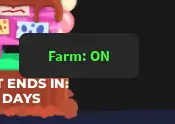
        toggleButton.Text = "Farm: ON"
        toggleButton.TextColor3 = Color3.fromRGB(60, 255, 60)
    else
        toggleButton.Text = "Farm: OFF"
        toggleButton.TextColor3 = Color3.fromRGB(255, 60, 60)
    end
end

UserInputService.InputBegan:Connect(function(input, gpe)
    if not gpe and input.KeyCode == key then
        updateToggle()
    end
end)

toggleButton.MouseButton1Click:Connect(updateToggle)

while task.wait() do
    if toggle then
        local char = lp.Character
        local hrp = char and char:FindFirstChild("HumanoidRootPart")

        if hrp then
            local children = workspace:GetChildren()
            local foundEgg = false

            for i = 1, #children do
                if not toggle then break end
                local v = children[i]
                if v.Name == "CandyEgg" then
                    local target = v:IsA("Model") and (v.PrimaryPart or v:FindFirstChildWhichIsA("BasePart")) or (v:IsA("BasePart") and v)
                    if target then
                        foundEgg = true
                        hrp.CFrame = target.CFrame
                        task.wait(0.2)
                    end
                end
            end

            if toggle and not foundEgg then
                hrp.CFrame = CFrame.new(-308, 26, -1600)
                task.wait(1)
            end
        end
    end
end


