![[WEATHER] Destroy a Vault 💰](https://scriptnokey.com/wp-content/uploads/2026/10/WEATHER-Destroy-a-Vault-💰-300x188.webp)
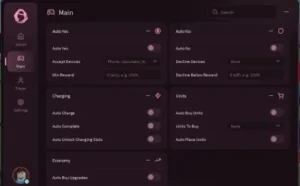
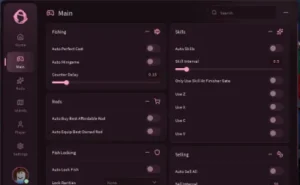
Script Info

local Rayfield = loadstring(game:HttpGet("https://sirius.menu/rayfield"))()

local Window = Rayfield:CreateWindow({
    Name = "Build And Fly",
    LoadingTitle = "Script Loaded",
    LoadingSubtitle = "by Pompompooo",
    ConfigurationSaving = {Enabled = false}
})

local MainTab = Window:CreateTab("Main", "home")
local ChannelsTab = Window:CreateTab("Channels", "link")

local isRunning = false
local speed = 0

MainTab:CreateToggle({
    Name = "Infinite Cash",
    CurrentValue = false,
    Callback = function(Value)
        isRunning = Value
        if isRunning then
            task.spawn(function()
                while isRunning do
                    local args = {1e28}
                    game:GetService("ReplicatedStorage"):WaitForChild("preflightchecks"):FireServer(unpack(args))
                    task.wait(speed)
                end
            end)
        end
    end
})

ChannelsTab:CreateLabel("Follow For More Scripts")

ChannelsTab:CreateButton({
    Name = "RScript Profile",
    Callback = function()
        setclipboard("https://rscripts.net/@Pompompoo")
        Rayfield:Notify({
            Title = "Copied!",
            Content = "RScript link copied to clipboard",
            Duration = 3
        })
    end
})

ChannelsTab:CreateButton({
    Name = "ScriptBlox Profile",
    Callback = function()
        setclipboard("https://scriptblox.com/u/Pompompooo")
        Rayfield:Notify({
            Title = "Copied!",
            Content = "ScriptBlox link copied to clipboard",
            Duration = 3
        })
    end
})

local Button = Instance.new("TextButton")
Button.Name = "DragButton"
Button.Text = "ON"
Button.Size = UDim2.new(0, 50, 0, 50)
Button.Position = UDim2.new(0, 10, 0, 10)
Button.BackgroundColor3 = Color3.new(0, 0, 0)
Button.TextColor3 = Color3.new(1, 1, 1)
Button.Font = Enum.Font.GothamBold
Button.TextSize = 14
Button.Active = true
Button.Draggable = true
Button.ZIndex = 100
Button.Parent = game:GetService("CoreGui")

local enabled = true

Button.MouseButton1Click:Connect(function()
    enabled = not enabled
    if enabled then
        Button.Text = "ON"
        Button.BackgroundColor3 = Color3.new(0, 0, 0)
    else
        Button.Text = "OFF"
        Button.BackgroundColor3 = Color3.new(0.5, 0, 0)
    end
end)
![[WEATHER] Destroy a Vault 💰](https://scriptnokey.com/wp-content/uploads/2026/10/WEATHER-Destroy-a-Vault-💰-150x150.webp)


![AIMBOT Script [No Key] | NEWGOD](https://scriptnokey.com/wp-content/uploads/2026/10/aimbot-script-no-key-newgod-800w-150x150.webp)

