
roblox.
Keyless
Viper Speed Hacks
This **open-source script** includes useful movement enhancements such as **Walk Speed and Jump Power** customization. It allows you to adjust your character's movement settings and improve mobility across different Roblox games. The script is reported to work in most games, although compatibility may vary depending on the game and executor version.
Make the compatibility wording more cautiousAdd a concise feature list
✨ Features
Jumppower\
Walkspeed\
Infinite Jump
📋 Script Code
-- Viper GUI for your own Roblox experience.
-- Place this LocalScript in StarterPlayer > StarterPlayerScripts.

local Players = game:GetService("Players")
local UserInputService = game:GetService("UserInputService")

local player = Players.LocalPlayer
local playerGui = player:WaitForChild("PlayerGui")

local COLORS = {
	background = Color3.fromRGB(13, 13, 16),
	panel = Color3.fromRGB(22, 22, 27),
	field = Color3.fromRGB(31, 31, 37),
	red = Color3.fromRGB(224, 42, 57),
	redDark = Color3.fromRGB(117, 25, 35),
	white = Color3.fromRGB(245, 245, 248),
	muted = Color3.fromRGB(155, 155, 166),
	green = Color3.fromRGB(94, 216, 139),
}

local screenGui = Instance.new("ScreenGui")
screenGui.Name = "ViperGui"
screenGui.ResetOnSpawn = false
screenGui.IgnoreGuiInset = false
screenGui.ZIndexBehavior = Enum.ZIndexBehavior.Sibling
screenGui.Parent = playerGui

local function addCorner(instance, radius)
	local corner = Instance.new("UICorner")
	corner.CornerRadius = UDim.new(0, radius)
	corner.Parent = instance
	return corner
end

local function addStroke(instance, color, thickness, transparency)
	local stroke = Instance.new("UIStroke")
	stroke.Color = color
	stroke.Thickness = thickness
	stroke.Transparency = transparency or 0
	stroke.Parent = instance
	return stroke
end

local function makeLabel(parent, name, text, size, position, color, font, textSize)
	local label = Instance.new("TextLabel")
	label.Name = name
	label.BackgroundTransparency = 1
	label.Size = size
	label.Position = position
	label.Font = font or Enum.Font.Gotham
	label.Text = text
	label.TextColor3 = color or COLORS.white
	label.TextSize = textSize or 14
	label.TextXAlignment = Enum.TextXAlignment.Left
	label.Parent = parent
	return label
end

local function makeButton(parent, name, text, size, position, color)
	local button = Instance.new("TextButton")
	button.Name = name
	button.Size = size
	button.Position = position
	button.BackgroundColor3 = color or COLORS.red
	button.AutoButtonColor = true
	button.Font = Enum.Font.GothamBold
	button.Text = text
	button.TextColor3 = COLORS.white
	button.TextSize = 13
	button.Parent = parent
	addCorner(button, 9)
	return button
end

local openButton = makeButton(screenGui, "OpenViper", "V  VIPER", UDim2.fromOffset(116, 42), UDim2.new(0, 18, 0.5, -21), COLORS.red)
openButton.Visible = false
openButton.TextSize = 14
addStroke(openButton, Color3.fromRGB(255, 110, 120), 1, 0.25)

local panel = Instance.new("Frame")
panel.Name = "MainPanel"
panel.Size = UDim2.fromOffset(340, 440)
panel.Position = UDim2.new(0.5, -170, 0.5, -220)
panel.BackgroundColor3 = COLORS.background
panel.BorderSizePixel = 0
panel.Parent = screenGui
addCorner(panel, 14)
addStroke(panel, COLORS.redDark, 1.5, 0.12)

local topBar = Instance.new("Frame")
topBar.Name = "TopBar"
topBar.Size = UDim2.new(1, 0, 0, 68)
topBar.BackgroundColor3 = COLORS.panel
topBar.BorderSizePixel = 0
topBar.Parent = panel
addCorner(topBar, 14)

local topBarCover = Instance.new("Frame")
topBarCover.Size = UDim2.new(1, 0, 0, 14)
topBarCover.Position = UDim2.new(0, 0, 1, -14)
topBarCover.BackgroundColor3 = COLORS.panel
topBarCover.BorderSizePixel = 0
topBarCover.Parent = topBar

local accent = Instance.new("Frame")
accent.Name = "Accent"
accent.Size = UDim2.new(0, 4, 0, 38)
accent.Position = UDim2.new(0, 16, 0, 15)
accent.BackgroundColor3 = COLORS.red
accent.BorderSizePixel = 0
accent.Parent = topBar
addCorner(accent, 3)

makeLabel(topBar, "Title", "VIPER", UDim2.new(1, -92, 0, 25), UDim2.new(0, 29, 0, 11), COLORS.white, Enum.Font.GothamBlack, 19)
makeLabel(topBar, "Subtitle", "PLAYER CONTROL PANEL", UDim2.new(1, -100, 0, 18), UDim2.new(0, 30, 0, 37), COLORS.muted, Enum.Font.GothamMedium, 10)

local closeButton = makeButton(topBar, "Close", "×", UDim2.fromOffset(34, 34), UDim2.new(1, -48, 0, 17), COLORS.field)
closeButton.TextSize = 22
addStroke(closeButton, Color3.fromRGB(70, 70, 78), 1, 0.2)

local content = Instance.new("Frame")
content.Name = "Content"
content.BackgroundTransparency = 1
content.Size = UDim2.new(1, -36, 1, -88)
content.Position = UDim2.new(0, 18, 0, 80)
content.Parent = panel

local function makeInputSection(name, title, placeholder, y)
	makeLabel(content, name .. "Label", title, UDim2.new(1, 0, 0, 20), UDim2.new(0, 0, 0, y), COLORS.white, Enum.Font.GothamBold, 13)
	local box = Instance.new("TextBox")
	box.Name = name .. "Input"
	box.Size = UDim2.new(1, 0, 0, 42)
	box.Position = UDim2.new(0, 0, 0, y + 25)
	box.BackgroundColor3 = COLORS.field
	box.BorderSizePixel = 0
	box.ClearTextOnFocus = false
	box.Font = Enum.Font.Gotham
	box.PlaceholderText = placeholder
	box.PlaceholderColor3 = COLORS.muted
	box.Text = ""
	box.TextColor3 = COLORS.white
	box.TextSize = 14
	box.TextXAlignment = Enum.TextXAlignment.Left
	box.Parent = content
	addCorner(box, 9)
	addStroke(box, Color3.fromRGB(57, 57, 67), 1, 0.25)
	local padding = Instance.new("UIPadding")
	padding.PaddingLeft = UDim.new(0, 12)
	padding.PaddingRight = UDim.new(0, 12)
	padding.Parent = box

	local apply = makeButton(content, name .. "Apply", "APPLY " .. string.upper(name), UDim2.new(1, 0, 0, 38), UDim2.new(0, 0, 0, y + 76), COLORS.redDark)
	return box, apply
end

local speedInput, speedApply = makeInputSection("Speed", "Change Walkspeed", "Enter a number, for example 24", 0)
local jumpInput, jumpApply = makeInputSection("JumpPower", "Jump Power", "Enter a number, for example 60", 130)

makeLabel(content, "InfiniteJumpLabel", "INFINITE JUMPS", UDim2.new(1, -120, 0, 20), UDim2.new(0, 0, 0, 268), COLORS.white, Enum.Font.GothamBold, 13)
makeLabel(content, "InfiniteJumpHint", "Jump again in mid-air", UDim2.new(1, -120, 0, 17), UDim2.new(0, 0, 0, 290), COLORS.muted, Enum.Font.Gotham, 11)
local infiniteButton = makeButton(content, "InfiniteJumpToggle", "OFF", UDim2.fromOffset(82, 34), UDim2.new(1, -82, 0, 274), COLORS.field)
addStroke(infiniteButton, Color3.fromRGB(70, 70, 78), 1, 0.2)

local statusLabel = makeLabel(content, "Status", "Ready. Enter a value to get started.", UDim2.new(1, 0, 0, 22), UDim2.new(0, 0, 0, 326), COLORS.muted, Enum.Font.Gotham, 11)
statusLabel.TextWrapped = true

local selectedWalkSpeed
local selectedJumpPower
local infiniteJumpEnabled = false

local function setStatus(message, color)
	statusLabel.Text = message
	statusLabel.TextColor3 = color or COLORS.muted
end

local function getHumanoid()
	local character = player.Character
	if not character then
		return nil
	end
	return character:FindFirstChildOfClass("Humanoid")
end

local function applySelectedValues(humanoid)
	if selectedWalkSpeed ~= nil then
		humanoid.WalkSpeed = selectedWalkSpeed
	end
	if selectedJumpPower ~= nil then
		humanoid.UseJumpPower = true
		humanoid.JumpPower = selectedJumpPower
	end
end

local function readNumber(text)
	local value = tonumber(text)
	if value == nil or value  0 then
		humanoid:ChangeState(Enum.HumanoidStateType.Jumping)
	end
end)

local function onCharacterAdded(character)
	local humanoid = character:WaitForChild("Humanoid", 10)
	if not humanoid then
		return
	end
	applySelectedValues(humanoid)
end

player.CharacterAdded:Connect(onCharacterAdded)
if player.Character then
	task.spawn(onCharacterAdded, player.Character)
end

closeButton.Activated:Connect(function()
	panel.Visible = false
	openButton.Visible = true
end)

openButton.Activated:Connect(function()
	panel.Visible = true
	openButton.Visible = false
end)

-- Drag the panel from its header.
local dragging = false
local dragInput
local dragStart
local startPosition

topBar.InputBegan:Connect(function(input)
	if input.UserInputType == Enum.UserInputType.MouseButton1 or input.UserInputType == Enum.UserInputType.Touch then
		dragging = true
		dragStart = input.Position
		startPosition = panel.Position
		input.Changed:Connect(function()
			if input.UserInputState == Enum.UserInputState.End then
				dragging = false
			end
		end)
	end
end)

topBar.InputChanged:Connect(function(input)
	if input.UserInputType == Enum.UserInputType.MouseMovement or input.UserInputType == Enum.UserInputType.Touch then
		dragInput = input
	end
end)

UserInputService.InputChanged:Connect(function(input)
	if dragging and input == dragInput then
		local delta = input.Position - dragStart
		panel.Position = UDim2.new(
			startPosition.X.Scale,
			startPosition.X.Offset + delta.X,
			startPosition.Y.Scale,
			startPosition.Y.Offset + delta.Y
		)
	end
end)
🎮 Similar Scripts
Script Info
🕐 Recent Scripts

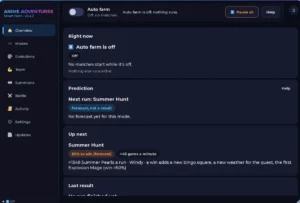
Anime Adventure Auto Farm v2.4
Anime Adventures • 👁 2
Keyless

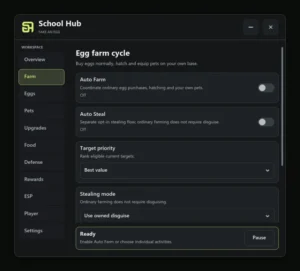
Fake an Egg script by School Hub | Auto Farm, Auto Feed
Fake an Egg • 👁 2
Keyless

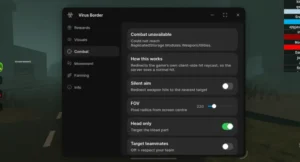
Virus Border Roleplay
Virus Border Roleplay • 👁 4
Keyless

Anime Adventures Auto Farm + Dupe
Anime Adventures • 👁 2
Keyless

Adopt Me auto farm script by Axon Hub
Adopt Me! • 👁 2
Keyless
